

1. On web-based EzTrade online trading platform
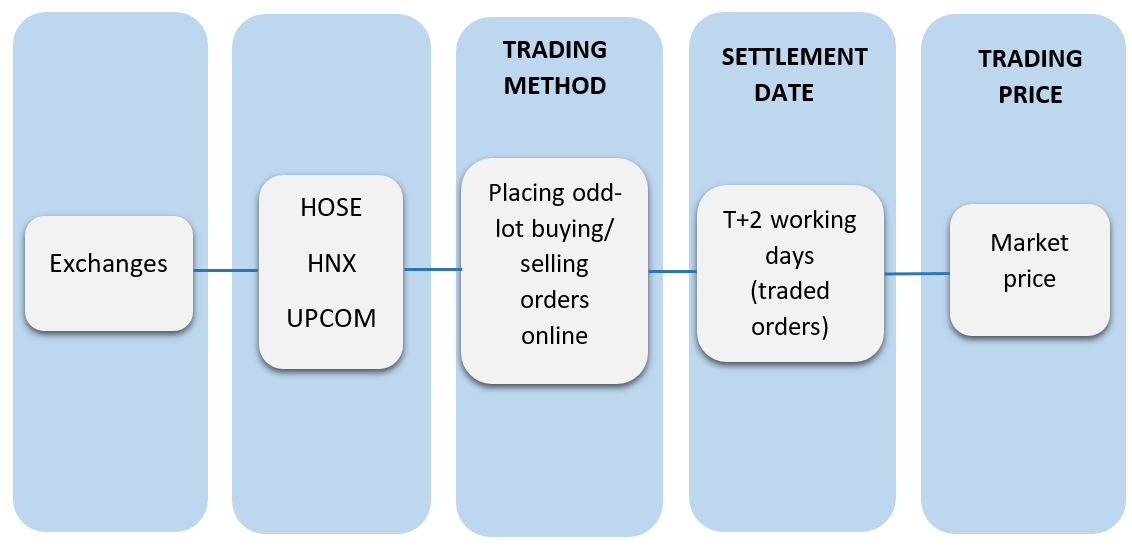
- Mandatory regulations on odd-lot trading by Stock Exchanges: HOSE, HNX and UPCOM: Fewer than 100 shares.

1.1 Placing an Odd-lot Order on EzTrade
- The way to place an order to buy/sell shares in odd lot is the same as the ordinary stock trading.
- Navigate to the order-placing session, fill in the order information
- Securities symbol
- Quantity: From 1 to 99 units
- Price: Only LO (limit order) price is accepted
- Tick size and price range for odd-lot securities trading are the same as the board lot

- To cancel or modify an untraded order, go to the “Pending Order” session to perform the cancellation or modification:

Note: Odd-lot trading is completely separated from the board-lot trading: Odd-lot orders can only be matched with corresponding odd-lot orders and cannot be matched with board-lot orders.
1.2. View Odd-lot Price Board on EzTrade
- You can view the odd-lot price board of a given securities symbol on EzTrade as follows:
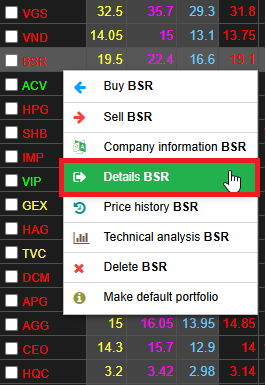
- Right-click on the symbol you want to view details on the Stock List and select Details <securities symbol>
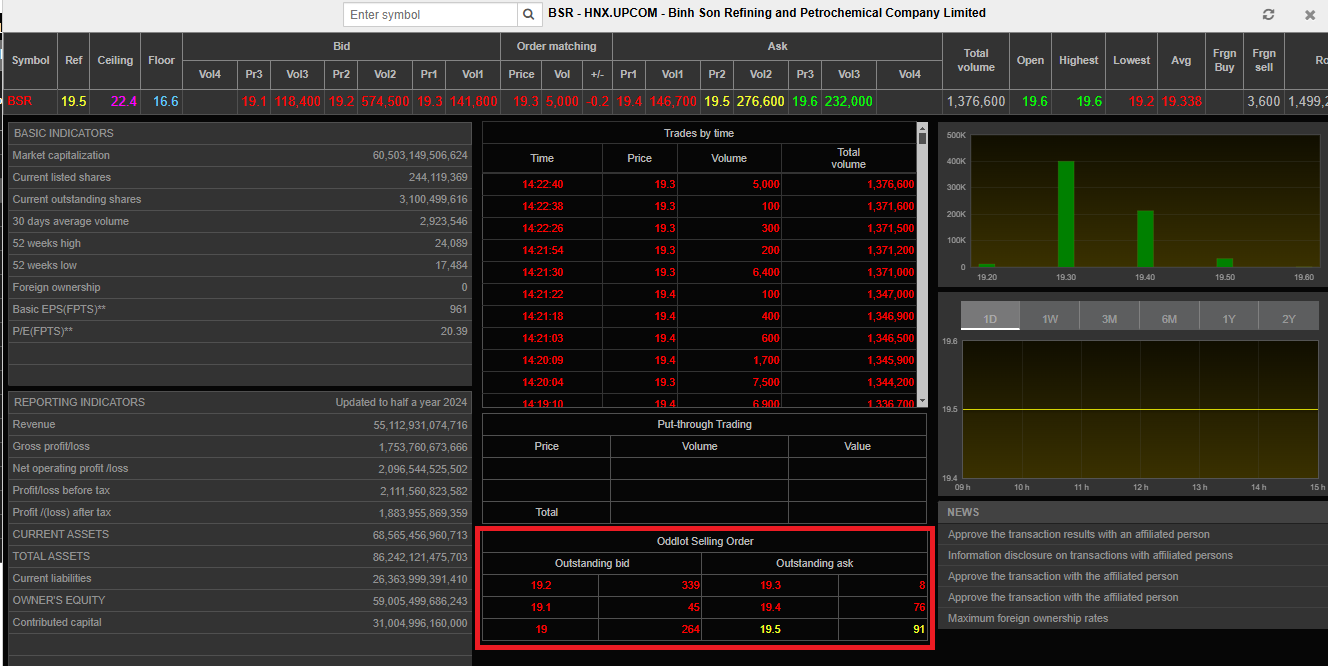
Details about 3 best bid prices and 3 best ask prices and relevant volume quantity are displayed in the “Odd-Lot Trading” section:
2. On EzTrade mobile trading application
In the EzTrade app on your mobile device, go to the "Place Order" section to fill in the order information:
- Stock Code
- Volume: Odd lots have a volume from 1 to 99
- Price: Odd lots only apply the Limit Order (LO) price type
- Price increment, quotation unit, and price fluctuation range for odd lot securities are similar to even lot securities.
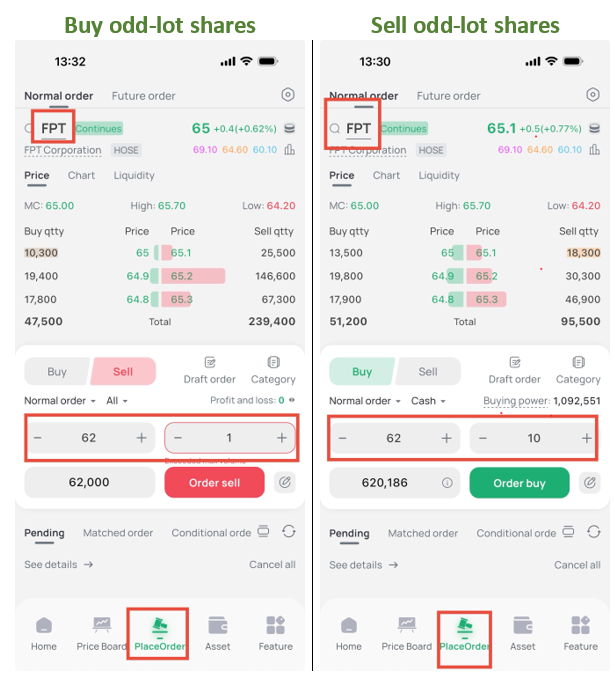
After filling in the information, press "Place Buy/Sell" to confirm the order.
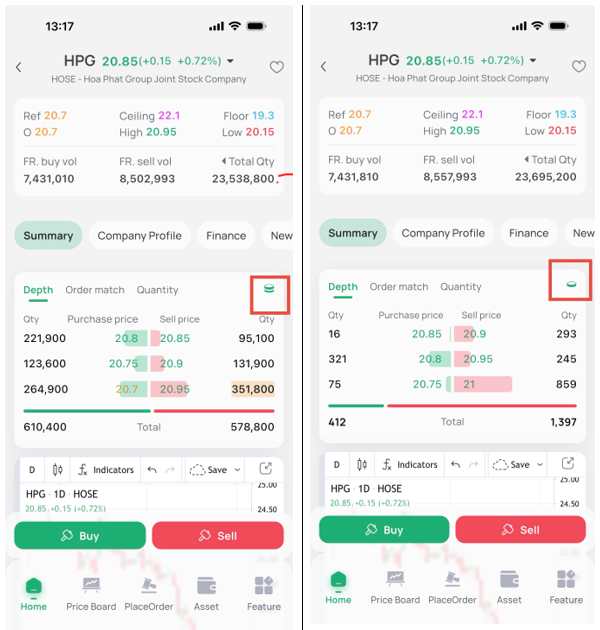
You can view the odd lot price table on EzTrade app. On the main screen, go to the "Category" section, select the stock code from the price table, and in the "Trading" section, you can change from even lot to odd lot to view the odd lot price of that stock code.