

How to Subscribe to Rights Issue
To subscribe to a rights issue online, please follow the steps below.
For subscriptions via the EzTrade website: https://new.eztrade.fpts.com.vn
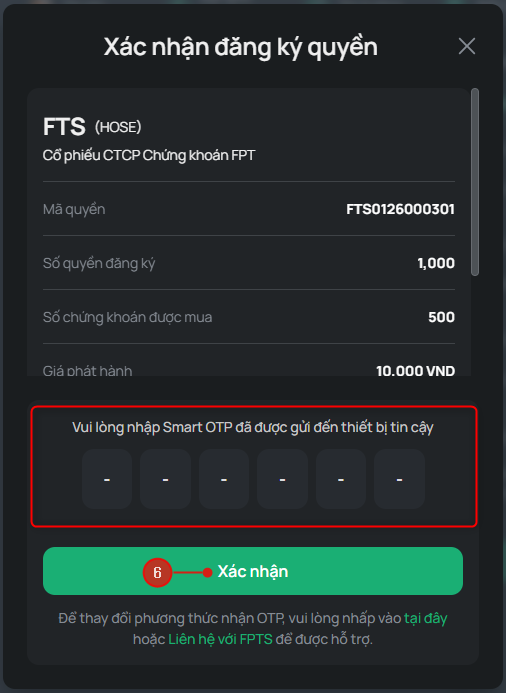
Step 1: Log in to the EzTrade website and click the Function List icon.
Step 2: Under Custody & Rights, select Rights Exercise
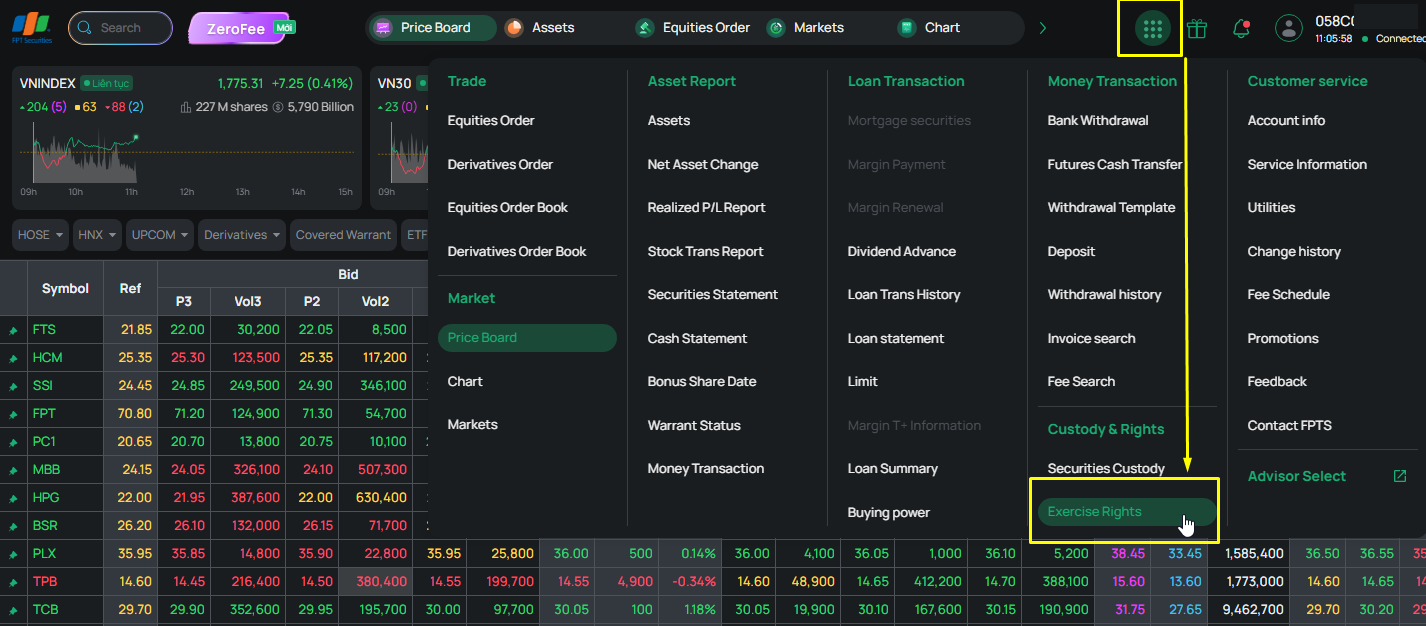
Step 3: From the list, select Rights Subscription as the corporate action type, then click Subscribe.
Step 4: Under the Action column, click Register to subscribe to the rights issue, or click Details to view detailed information about the offering.
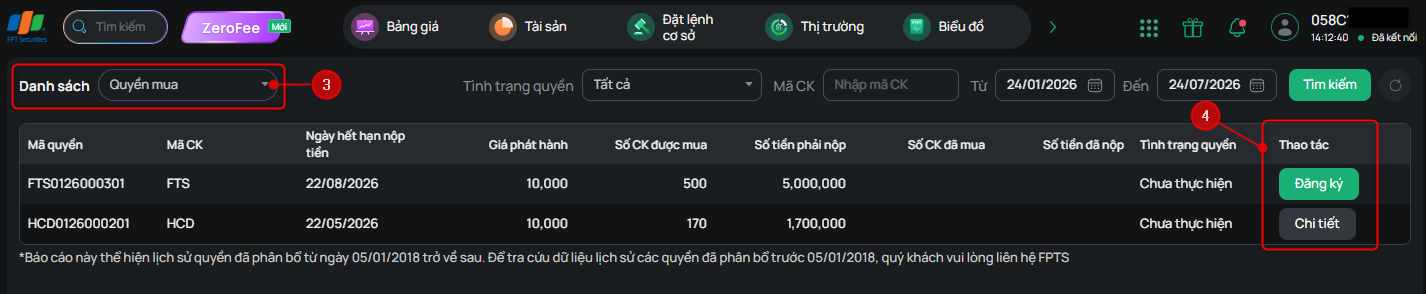
Step 5: Based on the Number of Rights Held, enter the number of rights you wish to exercise in the Registered Rights field. The system will automatically calculate the Number of Shares to Subscribe and the Subscription Amount according to the Subscription Ratio and Offering Price. Then click Submit.
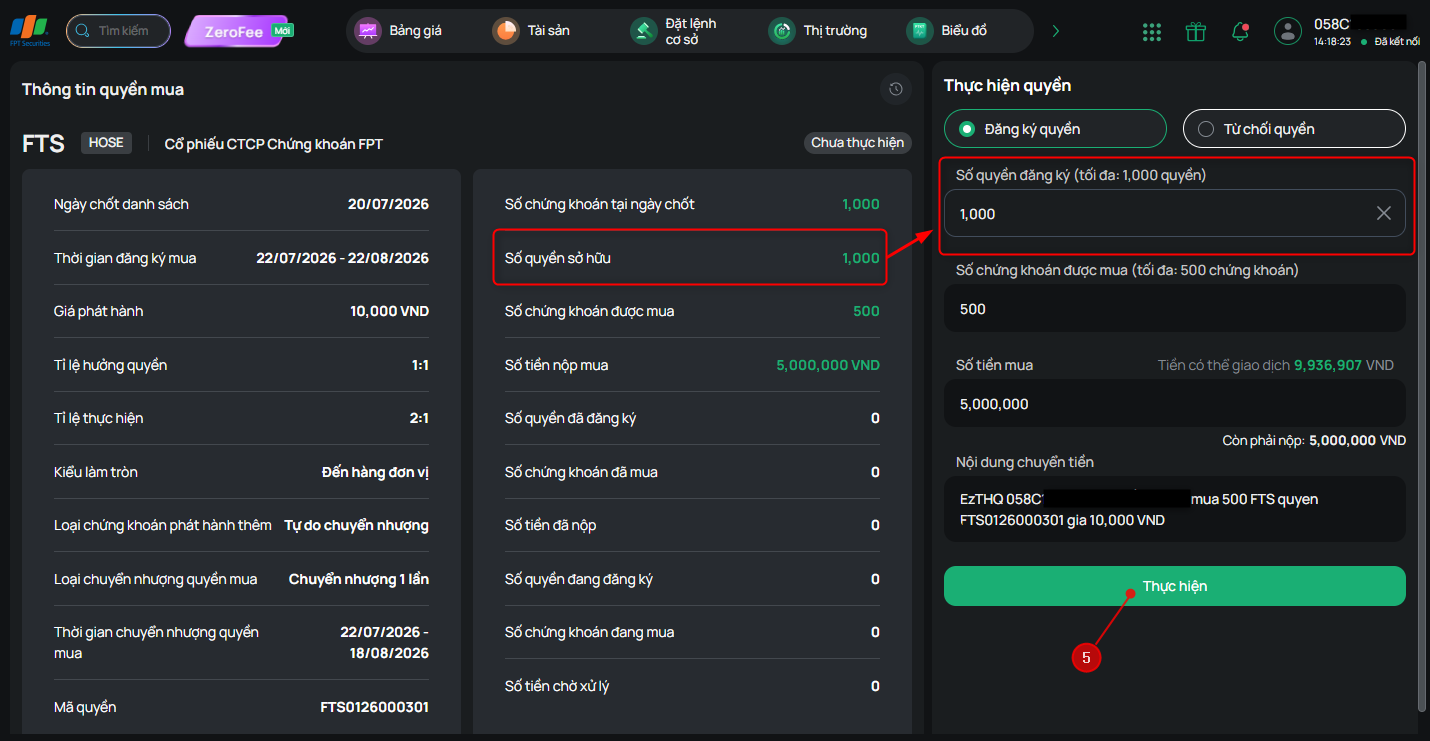
Step 6: Enter the OTP and click Confirm to complete your rights subscription registration.
(OTP can be received via SMS, Email, SmartOTP, or Token Card.)