

- Stock Trading Guide
- Bond Trading Guide
- Derivatives Trading Guide
- EzTrade on Website
- EzTrade On Mobile Devices
- ETF Trading Guide
- Covered Warrant Trading Guide
- Securities Custody Guide
- Securities Trading Settlement
- Guide to Information Changes
- Guide to Corporate Actions
- Shareholding Management - EzLink
- Events Calendar
- Terms of Use
Trade/Account Statement Lookup
- Stock Trading Guide
- Bond Trading Guide
- Derivatives Trading Guide
- EzTrade on Website
- EzTrade On Mobile Devices
- ETF Trading Guide
- Covered Warrant Trading Guide
- Securities Custody Guide
- Securities Trading Settlement
- Guide to Information Changes
- Guide to Corporate Actions
- Shareholding Management - EzLink
- Events Calendar
- Terms of Use
1
Looking Up Trade History
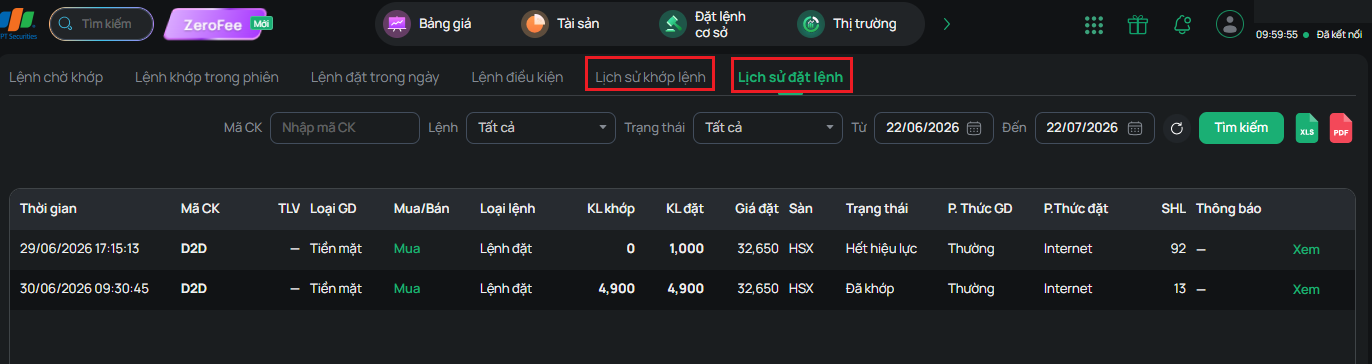
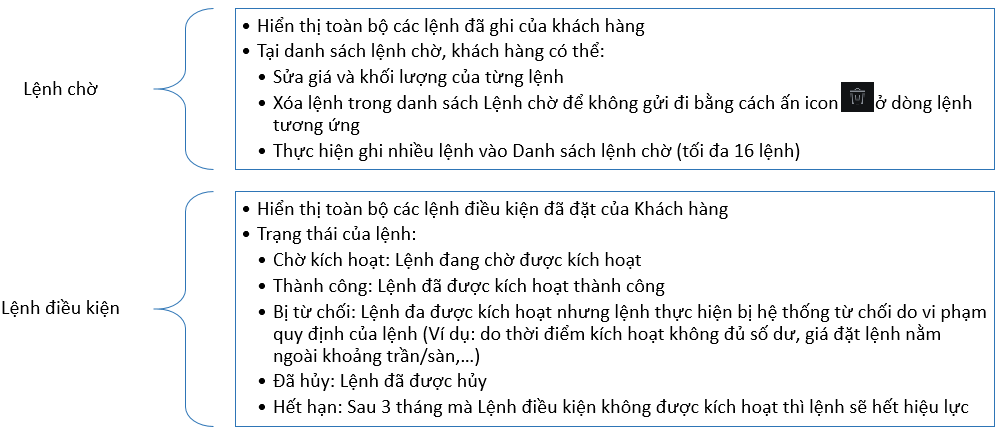
On the online trading screen, you can look up trade history information. Go to the Base Order Book.
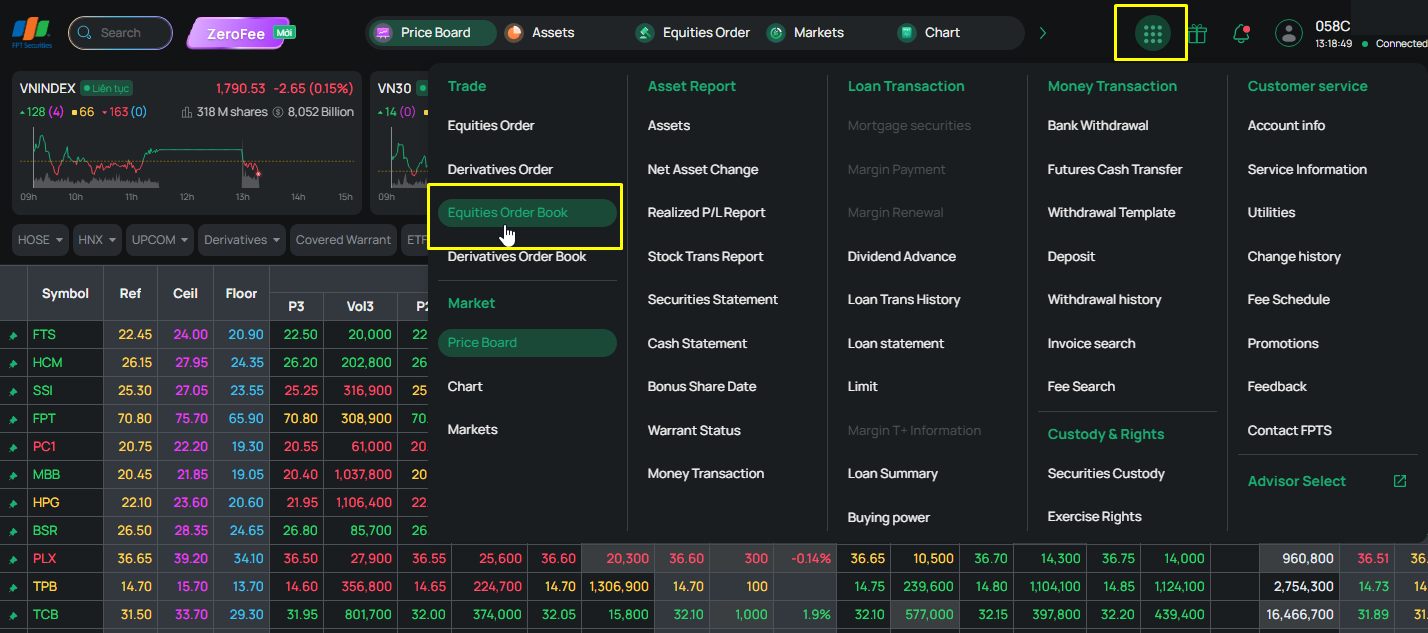
Once in the base order book, select the “Order History” tab or the “Matched Order History” tab as needed, enter the time period you want to search, and click “Search”
2
Looking Up Account Information
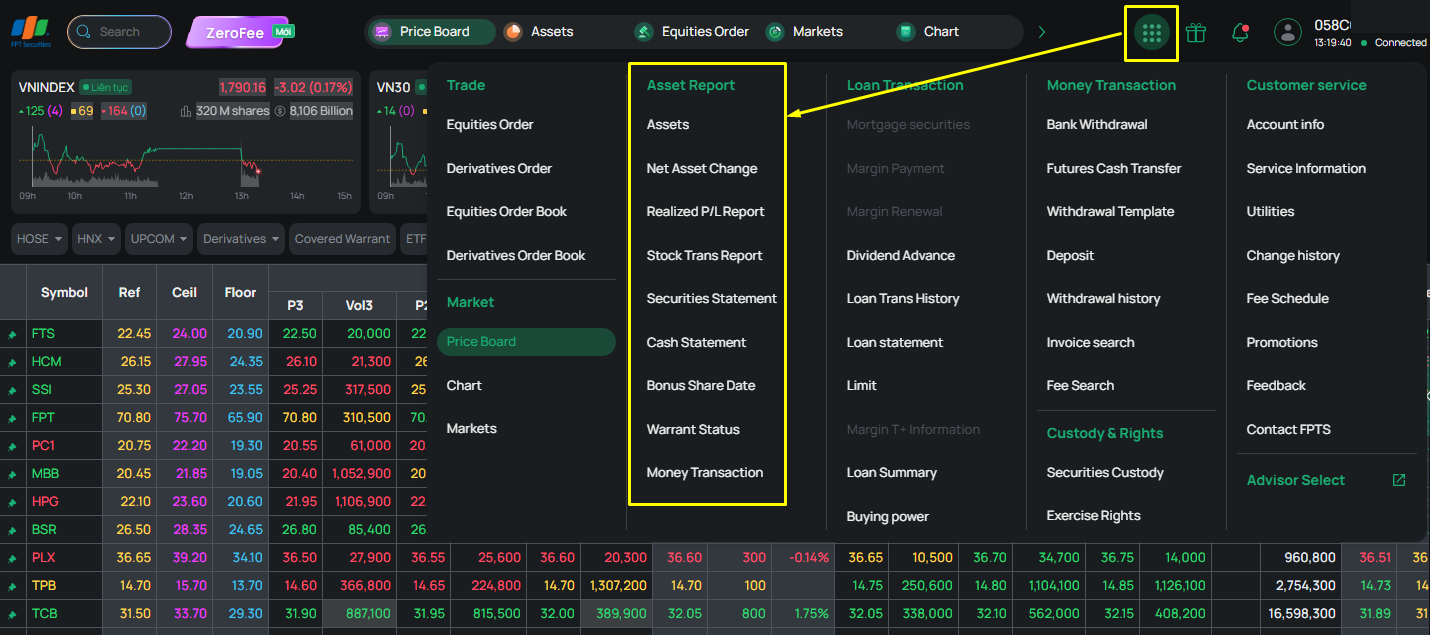
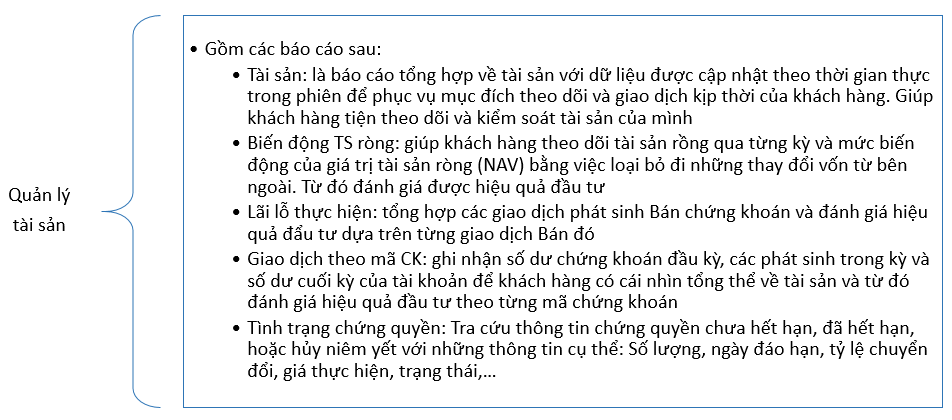
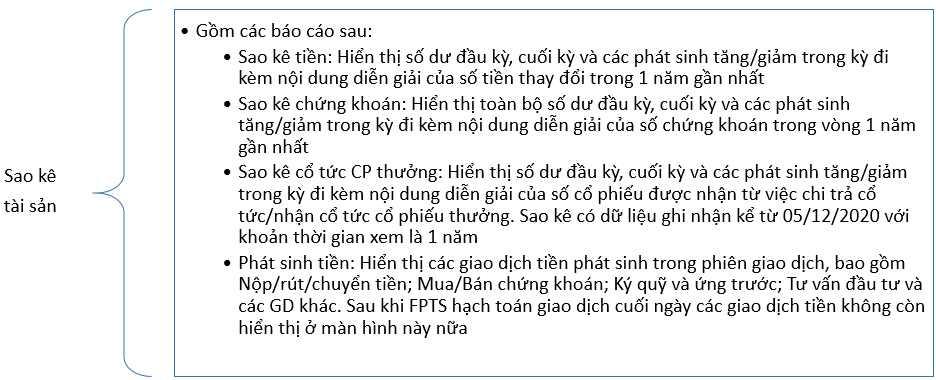
On the online trading screen, you can look up trading account information by going to Function List and selecting the reports you want to view.