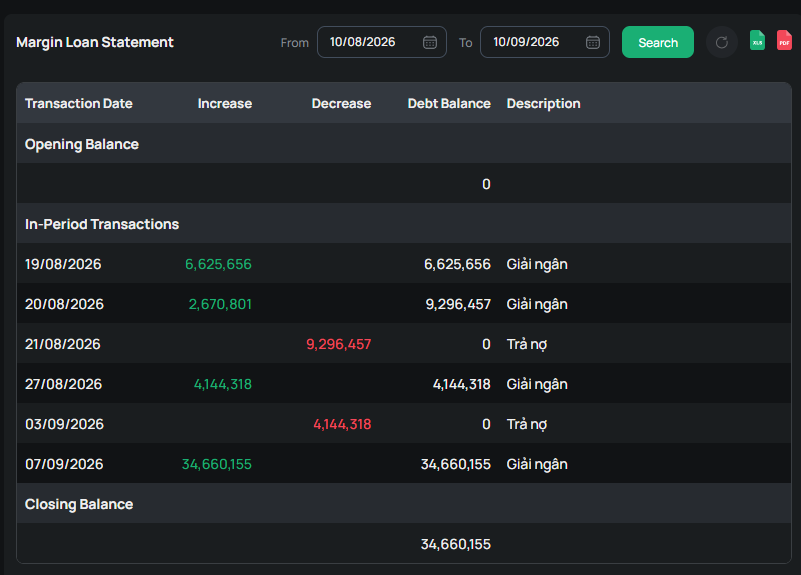


Loan Transaction Reports, including Loan History and Loan Statements, help customers track detailed information regarding margin loan transactions on their accounts.
Margin Loan History Report
On the online trading screen, you can look up margin loan transaction history by going to Function List, selecting Margin Loan Transaction History Report, and then selecting the type of information you want to view:
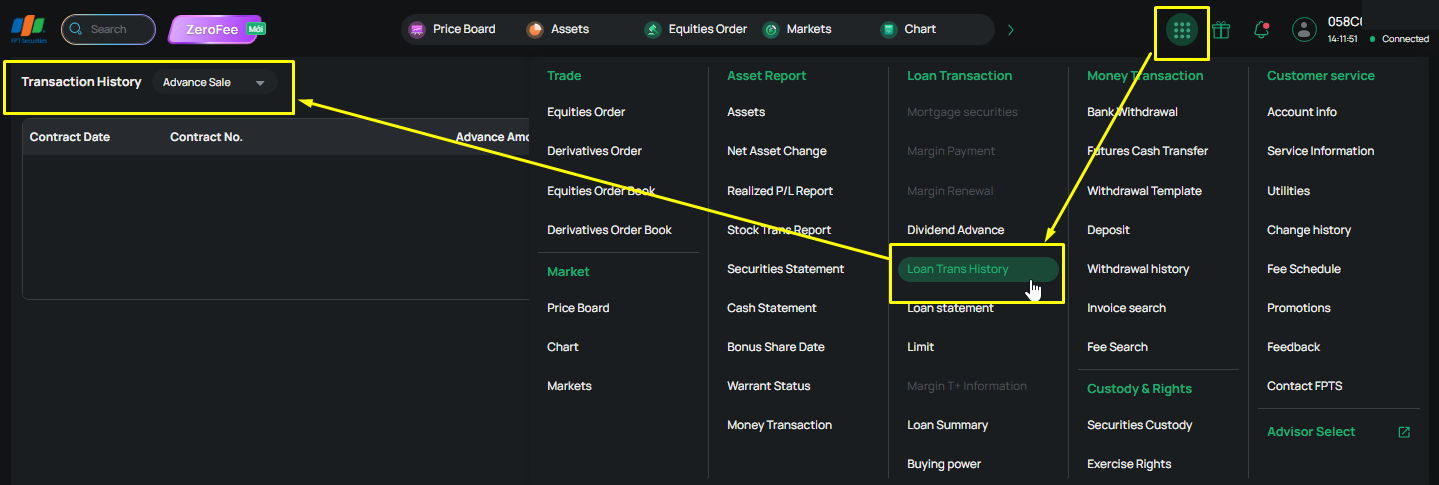
The Margin Loan Transaction History displays the following information:
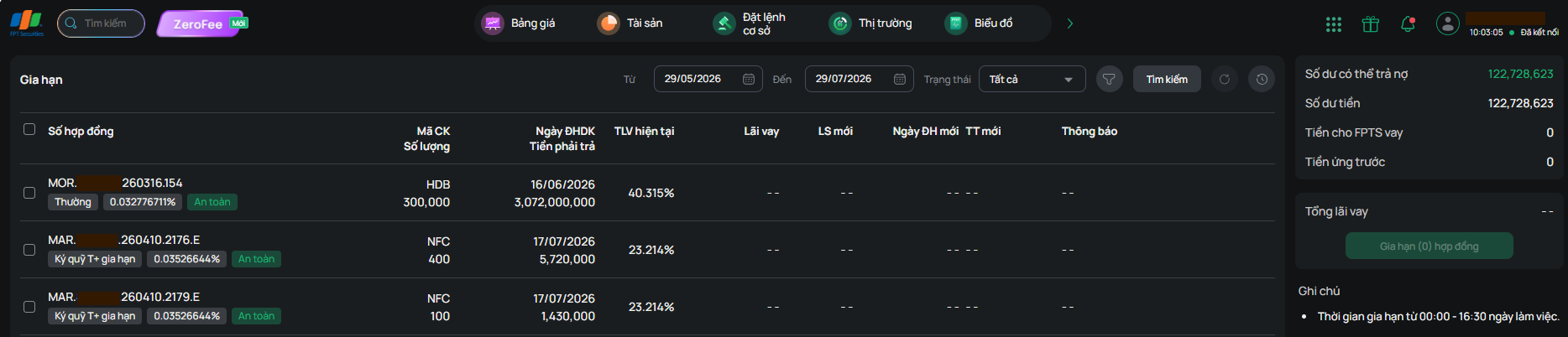
- Margin:
+ Displays a list of expired and soon-to-expire contracts
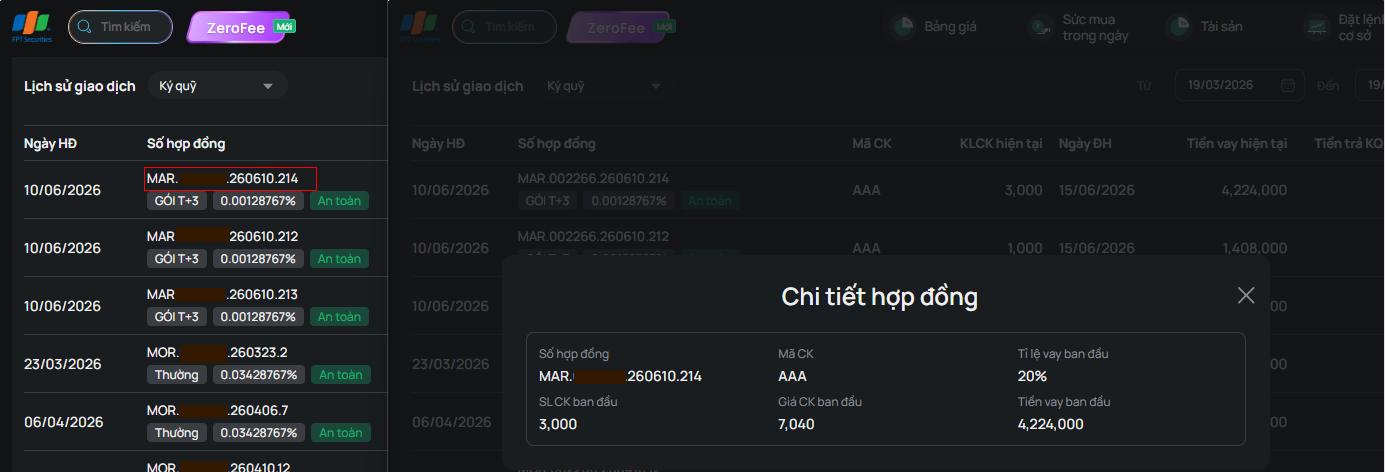
+ Clicking a Contract number displays the “Contract Details” information
- Sale Proceeds Advance: displays contracts for advance payment on sale proceeds, with a default period of 3 months prior to the search date

- Dividend Advance:

- Renewal: Displays the history of renewed contracts
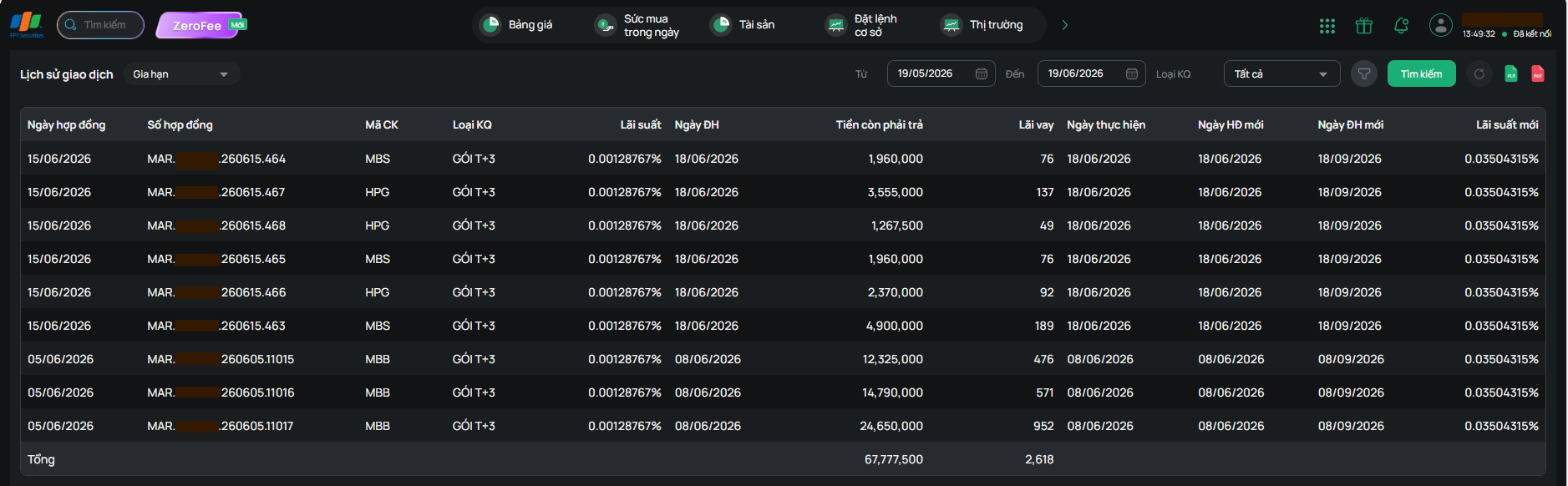
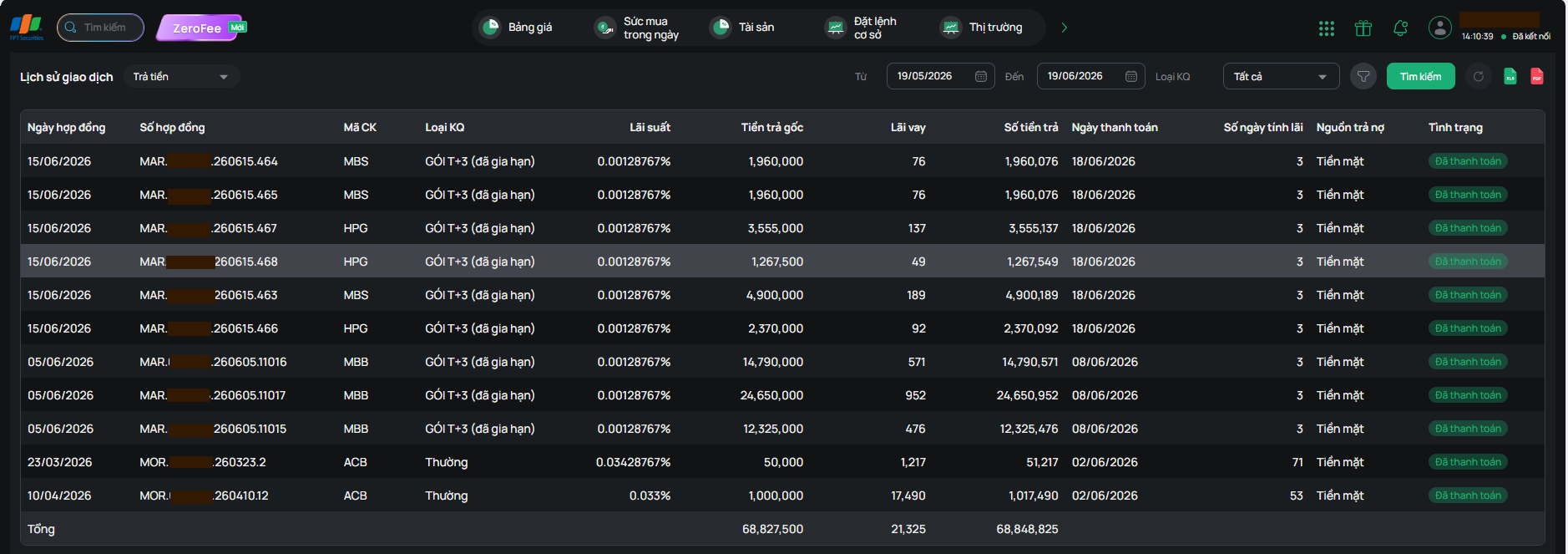
- Repayment: Displays the history of renewed contracts
On the online trading screen, customers access the Menu List and select Loan Statement to view detailed information:
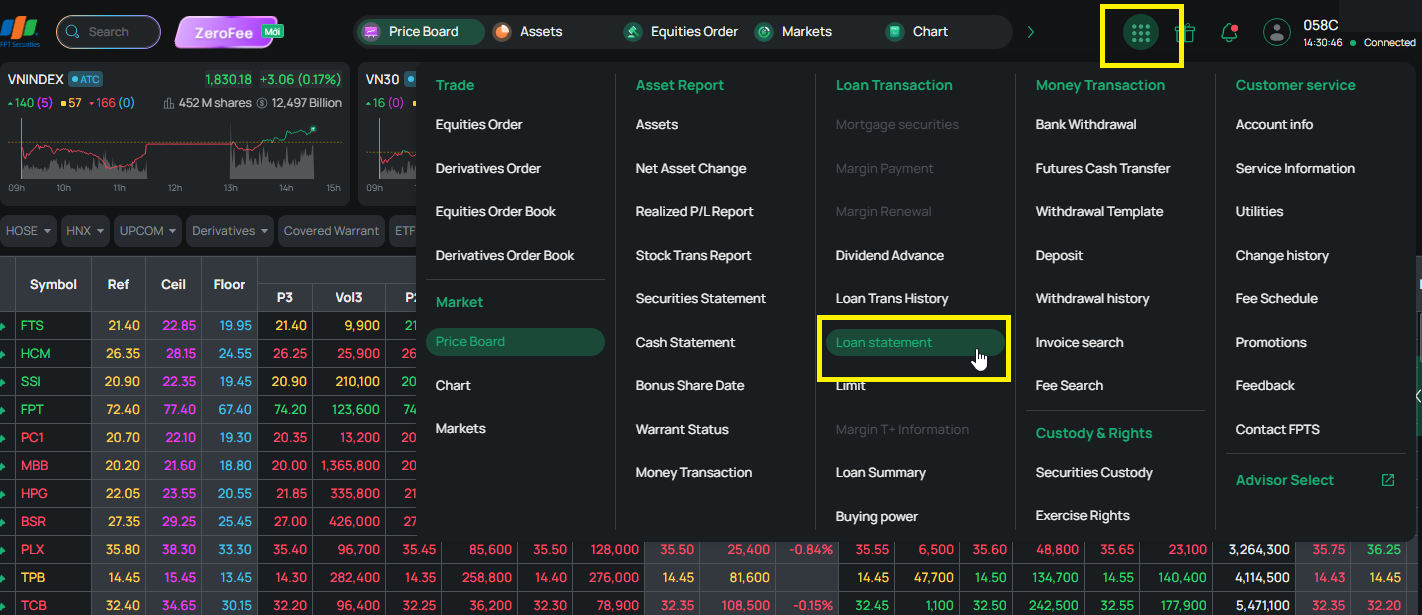
The Loan Statement report displays opening balances, closing balances, and any increases or decreases during the period—along with explanations for amount changes within the past year—allowing customers to view detailed loan statements for their accounts.