

Intraday Order Report
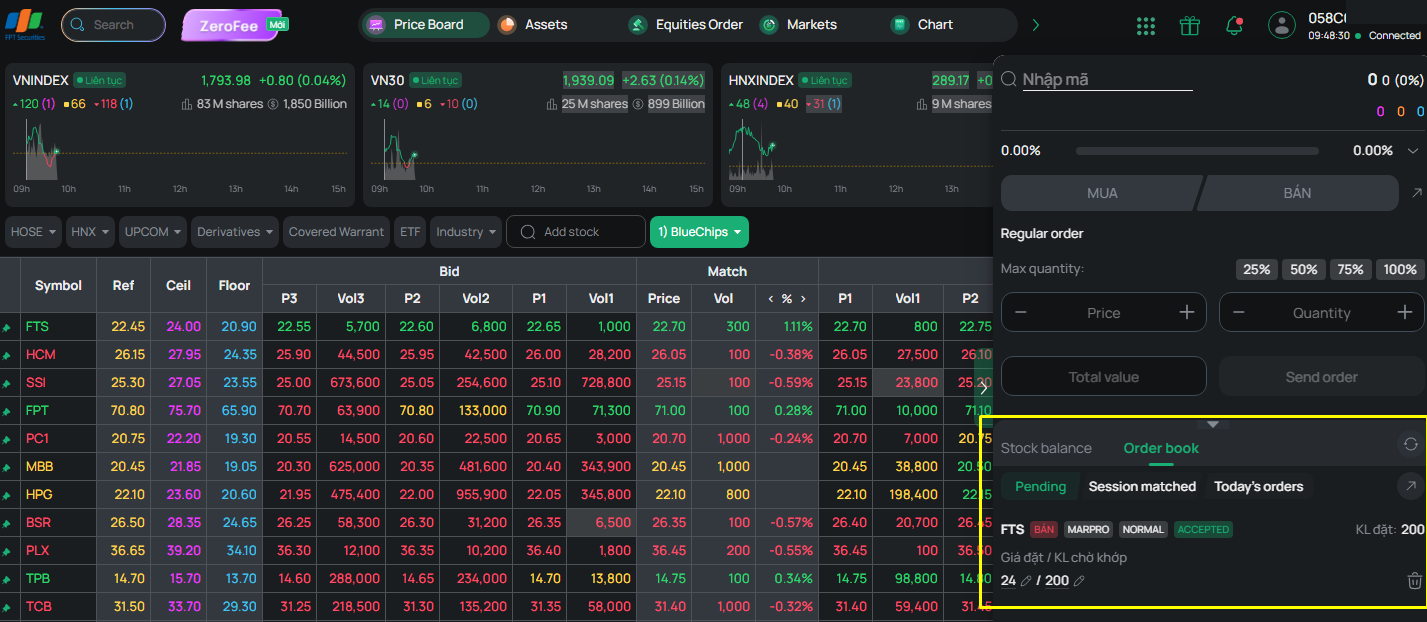
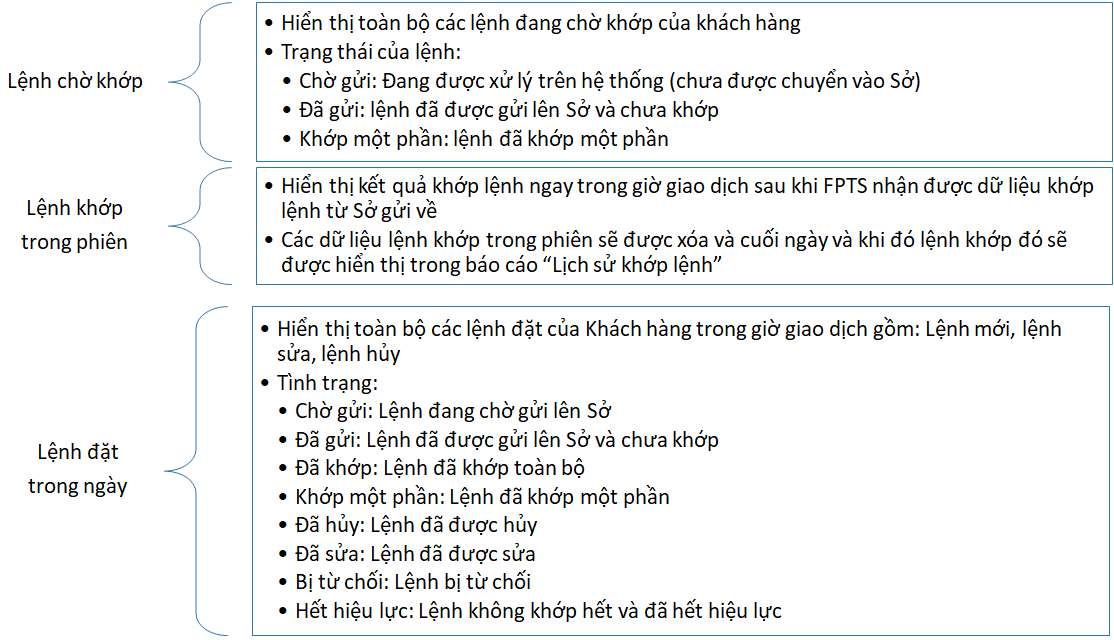
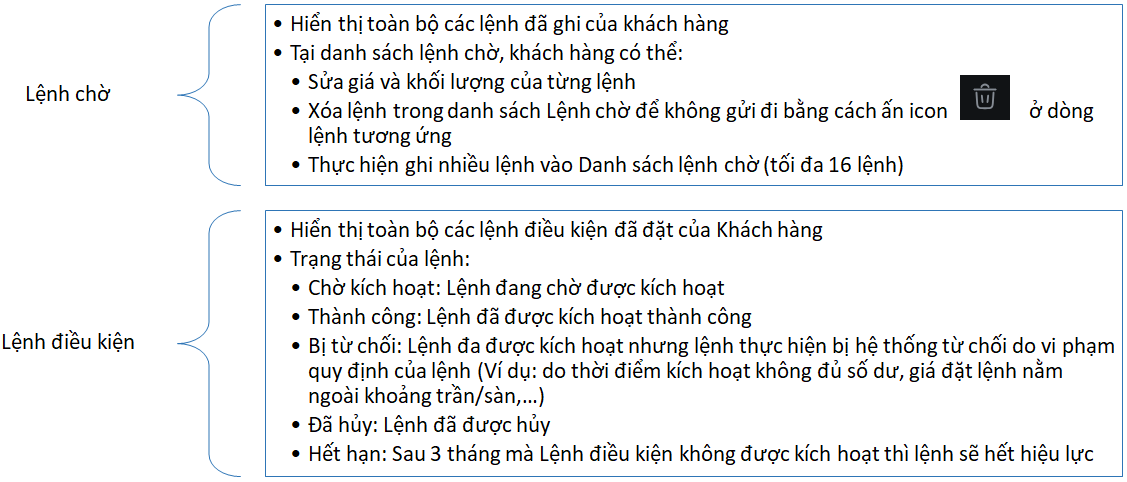
On the EzTrade website, you can look up information about your Intraday Orders, such as “Pending Orders,” “Orders Matched in the Session,” “Orders Placed Today,” “Conditional Orders,” and “Pending Order List,” through the order books. There are two types of order books:
- Mini order book: on the vertical order-placing screen, horizontal order-placing screen, and quick order-placing screen.
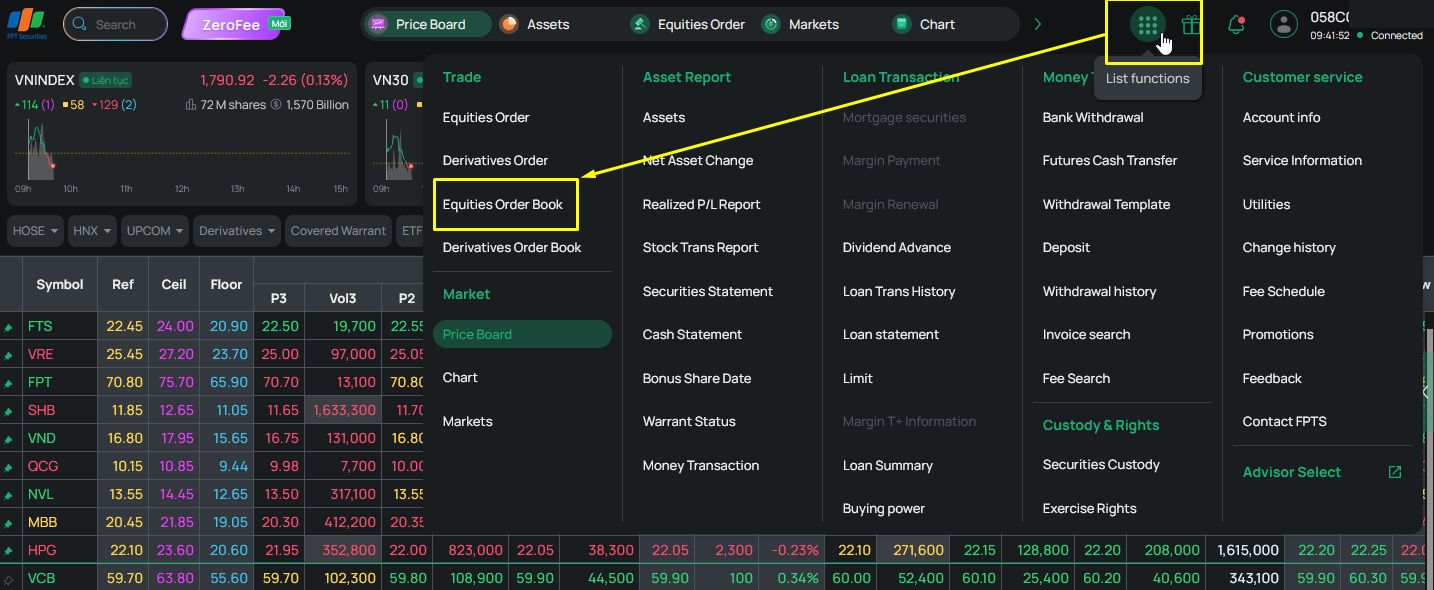
- Full order book:
+ Open from Function ⇒ select Base Order Book
+ Expand from the mini order book.